

Plan your rental with confidence
You’re visiting a new city, with a weekend of sightseeing, work meetings or family plans ahead. Renting a car can give you more freedom than public transport or a string of taxi rides. The question is how to find a car that suits your plans, keep costs under control and avoid surprises along the way.
Car rental companies offer plenty of choice, but their prices, requirements and terms can be very different. The daily rate is only one part of the overall cost. This guide walks you through what to check, from rental terms and cover and security deposits to returning the car smoothly, so you can choose with confidence.
Questions this guide will help you answer
- How much does it cost to rent a car in Poland?
- Can I rent a car without a security deposit?
- What does a mileage allowance mean?
If you’ve been wondering about any of these, you’re in the right place. We’ll explain how car rental works and what to look for when you book a car.
Start with the terms, then choose the car.
Why read the rental terms carefully?
- Charges that aren’t included in the headline price can make a real difference to the total.
- The level of cover and its exclusions vary between rental companies.
- The return conditions can affect how much of your security deposit you get back.
The checks below are useful whether you’re renting in Poland or planning a trip abroad.
Before you book: look beyond the daily rate
Check what the price includes
The first price you see may not cover everything you need. Look for:
- Fees for taking the car abroad.
- Charges for an additional driver.
- Out-of-hours pick-up fees.
- The mileage allowance and the charge for each extra kilometre.
- Your excess if the car is damaged, and the cost of reducing it.
Where can you check?
- Read the rental company’s general rental terms, often called OWN or OWU in Polish documents.
- Make sure you understand the total cost before you book.
BEEP tip: BEEP.rent compares these terms alongside the price, helping you see what each offer includes.
Choose a car that fits your trip
A car that looks like a bargain can feel cramped once everyone and their luggage are on board.
- For a family trip: consider an estate car or an SUV.
- For city driving: a small car can be easier to park and more economical on fuel.
- For an easier drive: consider an automatic.
BEEP tip: Filter offers by vehicle size and transmission.
Compare cover and security deposits
Some rental companies require a security deposit of several thousand Polish zlotys (PLN).
- Check whether rental without a security deposit is available.
- Read what the cover includes, especially glass, tyres and theft.
- Find out whether you can reduce your excess, the amount you may have to pay if the car is damaged.
Plan your pick-up and return
Rental companies may charge extra for:
- Returning the car to a different location.
- Returning it outside opening hours.
- Having the car delivered to an address you choose.
- Returning it in a condition that requires extra cleaning.
How can you avoid problems?
- Read the rental terms, including the return instructions.
- Take photos of the car at both pick-up and return.
- Return it with the agreed fuel level.
- If you’ve left the car particularly dirty, clean it before returning it.
Check how changes and extensions work
Extending a rental is not always automatic, so check the process before you need it.
- With BEEP, you can request an extension in the app. Approval and payment arrangements depend on the rental company.
- Before cancelling, check the refund rule that applies to your BEEP booking.
BEEP tip: Submit your extension request before the agreed return time, and wait for confirmation.
Cancellation and refunds with BEEP
Full refund when cancelling at least 24 hours before pickup; no refund afterwards.
Choose the right car for your trip
Which type of car will suit your plans?
Think about your route, the roads you’ll be using and what you need to carry:
- Small and compact cars are a practical choice for city driving, with lower fuel use and easier parking. Examples include the Toyota Yaris and VW Polo.
- Family cars and estates offer more luggage space and room for longer journeys, such as the Škoda Octavia Estate.
- SUVs and crossovers, such as the Nissan Qashqai, offer a higher driving position. Check the luggage space and specification of the car you’re considering.
- Minibuses and vans suit larger groups or bulky loads. Choose the passenger or cargo version you need, for example a VW Transporter.
- Premium cars, such as the BMW 5 Series, offer additional comfort for business trips or special occasions.
BEEP tip: Use the vehicle category filter to narrow down your options.
Leave room for passengers and luggage
Choose the car around both the number of people travelling and the bags you’ll bring:
- Two or three people with light luggage: consider a small car, such as a Toyota Aygo or Opel Corsa.
- Four or five people: compare compact and larger cars, such as a VW Golf or Škoda Superb, and check boot capacity carefully.
- A family with children and more luggage: consider an estate, SUV or people carrier.
- Seven to nine people: look for a passenger minibus, such as a suitable version of the Ford Transit or Opel Vivaro.
BEEP tip: Child seats may be available for an extra charge. Include them when comparing offers so the quote reflects everything you need, and check availability before booking.
Automatic or manual?
Choose the transmission you’re comfortable driving. Here’s what to consider:
Automatic
- Easier in stop-start traffic and comfortable on longer journeys.
- A familiar choice if you don’t usually drive a manual.
- Common in premium cars and electric vehicles.
- Often costs more to rent than an equivalent manual.
Manual
- Often has a lower rental price.
- Lets you choose when to change gear.
- Widely available in European rental fleets.
- Can be a good way to keep costs down if you’re comfortable driving one.
BEEP tip: Select your preferred transmission to see the relevant offers straight away.
The key takeaway
Start with the journey you’re planning, then compare cars that can comfortably handle it. BEEP lets you compare vehicle types and find an option that fits.
Compare the terms, not just the price
Two cars with the same daily rate can have very different rental terms. Mileage limits, deposits and cover all affect what you’ll pay and how the rental works. Here are the details worth comparing.
What is included in the rental price?
Look beyond the headline rate and ask:
What does the base price cover?
- What level of cover is included, and what does it exclude?
- How many kilometres can you drive?
- Is an additional driver included?
Which charges might be added?
- Out-of-hours pick-up or return fees.
- A young-driver surcharge, where the rental company applies one.
- A fee for returning the car to another location.
- Location-specific service charges.
BEEP tip: Check the price breakdown for your dates and selected extras, then read the terms for charges that depend on how you use or return the car.
Security deposit and excess: two different things
What is a security deposit?
- It is money held as security for the rental. Depending on the rental company, it may be blocked on a credit card or collected by another accepted payment method. It is separate from any advance payment towards the rental price.
- The amount depends on the vehicle and the rental company. For example, one offer might require PLN 500 and another PLN 5,000. These are illustrations, not current quotes; check your chosen offer.
- Some offers have no security deposit, but may have a higher rental price. Compare the total cost as well as the deposit.
BEEP tip: Use the deposit filter to find offers without a security deposit.
What is an excess?
- An excess is the amount you may have to pay towards damage covered by the rental terms. Check the exclusions too: the excess is not a limit on every possible charge.
- A rental company may offer a package that reduces the excess, sometimes to zero for covered damage.
- Cover varies. Check whether glass, tyres and other parts of the car are included or excluded.
BEEP tip: Compare the security deposit and the excess separately. A lower deposit does not necessarily mean a lower excess.
Understanding cover: CDW, SCDW, TP and PAI
Check the cover included in your offer and any optional protection. You may see these abbreviations; the names alone do not tell you everything about the cover or its exclusions:
- CDW (Collision Damage Waiver) limits your financial responsibility for certain damage to the rental car. An excess and exclusions usually apply.
- SCDW (Super Collision Damage Waiver) is an enhanced damage waiver that may reduce or remove the excess for covered damage. Check the exact terms and exclusions.
- TP (Theft Protection) covers your responsibility if the vehicle is stolen, subject to the terms and any applicable excess.
- PAI (Personal Accident Insurance) provides personal accident cover for the driver and passengers, as set out in the policy.
Example: An offer might have a PLN 2,000 excess for covered damage. An optional waiver could reduce it to zero. Check which types of damage remain excluded.
You can also compare separate car hire excess insurance. This is different from the rental company reducing your excess: you may still need to leave a security deposit and pay the rental company first, then claim eligible costs back from the insurer under the policy terms.
The key takeaway
Compare the total rental price, mileage allowance, security deposit and cover together. The lowest daily rate is not necessarily the best fit for your trip.
Extra charges to check
The base rental price may not include every service you need. Before booking, check which extras apply to your plans and which charges depend on how you use or return the car. Include your requirements when comparing offers on BEEP.
Additional drivers
You can often add another driver to the rental agreement, but there may be a charge.
- Some offers include an additional driver; others charge per day. Check the price for your rental dates rather than assuming it is included.
- Each additional driver must meet the rental company’s age and driving-licence requirements.
- The rental company may require every driver to be present at pick-up with their documents.
- Only drivers authorised under the rental agreement should drive the car. Unauthorised driving can affect your cover and lead to charges.
BEEP tip: Include all additional drivers in your search to compare the relevant total prices.
Returning the car to a different location
Planning a one-way trip? Returning the car in another city may cost extra.
- Some rental companies charge a one-way fee, while others include it for selected routes or locations.
- Returning the car at another airport may involve different parking or handling charges.
BEEP tip: Enter your actual pick-up and return locations. If a one-way rental is available, its cost will be reflected in the quote.
Taking the car abroad
Before crossing a border, check that the rental company allows your planned route and what you need to arrange.
- Some vehicles may only be driven within Poland.
- Other offers allow travel to nearby countries, such as Germany, Czechia or Slovakia, with an additional fee where applicable.
- Some rental companies allow a wider range of European destinations, but may require additional cover or permission.
- Mileage limits or fees may differ for international travel or by destination.
- Certain countries may be excluded altogether.
Example: If you plan to drive from Poland to Italy, check the rules for Italy and every country you’ll pass through, including any required permission or additional cover.
BEEP tip: Include all countries on your route in the “Going abroad” option. Check the permitted destinations and any extra charges before booking.
Fuel policies

The fuel policy determines how much fuel you should return the car with and what you may pay if you don’t.
- Full to full: collect the car with a full tank and return it full. You pay for the fuel you use by refuelling before the return.
- Prepaid fuel / full to empty: pay for an agreed fuel option and return the car without refuelling. Check the price and whether unused fuel is refunded.
- Same level on return: return the car with the same fuel level recorded at pick-up.
Example: If the agreement is full to full and you return the car with fuel missing, the rental company may charge for that fuel plus a refuelling service fee.
BEEP tip: Check the offer’s fuel policy, any prepaid fuel option and the charges for returning the car below the agreed level.
Booking with BEEP: the process and documents
How does a BEEP booking work?
Here’s what to expect:
Choose your car
- Enter your pick-up and return locations, dates and times.
- Choose the vehicle size and transmission you need.
- Add your requirements, including additional drivers, child seats, cover and the type of payment card you can use.
- Compare the available offers, including their total price, security deposit and any differences from your preferences.
- Check the confirmation information shown with the offer. Some bookings are confirmed immediately; others require the rental company’s acceptance.
- Check whether any advance payment is required. The amount and payment instructions are shown during booking.
Enter your details and submit the booking
- You don’t need to create an account or sign in.
- Enter your first and last name, phone number and email address.
- Review and accept the booking terms, then submit your request.
- If an advance payment is required, follow the payment instructions to complete that step.
Check what to pay and when
- Some bookings require no advance payment. Check the terms of the offer you choose.
- Any advance payment towards the rental price is separate from the security deposit left with the rental company.
- Check the cancellation and refund information before paying.
Receive your booking details and confirmation
- After submitting your booking and making any required payment, check your email for the booking details and current status.
- A submitted request is not always a confirmed booking. If the rental company’s acceptance is needed, wait for the final confirmation.
- Your confirmation includes the pick-up details, the rental company’s contact information and instructions for your rental.
BEEP tip: You can book on the BEEP website or in the mobile app.
What documents do you need?
Check the requirements of the rental company before booking. You will usually need:
- Proof of identity: a valid passport or national identity card accepted by the rental company.
- A driving licence: valid for the vehicle and accepted in the country where you’re renting. Depending on where your licence was issued and where you’re travelling, an international driving permit may also be required.
- An accepted payment card: if a card is required for the security deposit, check the card type, whose name must be on it and the available funds needed.
Before you book: Check the minimum driver age and how long you must have held your licence. These requirements vary by rental company and vehicle.
BEEP tip: Read the document and driver requirements in the offer before you book.
What should you look for in the rental terms?
Each rental company has its own terms. In Polish documents, you may see the abbreviations OWN or OWU. Read these terms before booking, paying particular attention to:
- Mileage allowance: is it limited, how many kilometres are included and what does each extra kilometre cost?
- Fuel policy: what level is required on return, and is prepaid fuel available?
- Cancellation and refunds: what is the deadline, and how much will be refunded under the rule for your BEEP booking?
- Cover and excess: are glass, tyres and mirrors covered, and which exclusions apply?
- Pick-up and return: where and when is the handover, and can the car be delivered to an address you choose?
BEEP tip: Open the rental terms provided with the offer and read them before submitting your booking.
The key takeaway
- You can book with BEEP without creating an account or signing in.
- Review the total price for your selected options and the charges that may apply during the rental.
- Check whether an advance payment is required and when the remaining rental price is due.
- You can manage your booking in the mobile app.
Taking a moment to check these details makes it easier to choose an offer that works for you.
Picking up and returning the car
A careful handover at both ends of the rental can help prevent misunderstandings and unexpected charges. Give yourself time to inspect the car and follow the rental company’s instructions.
How should you inspect the car before signing?
Before accepting the car, check its condition inside and out:
Take clear photos
- Photograph every side of the car, including the bumpers, doors, bonnet and roof.
- Include the wheels, tyres and interior.
- Photograph the mileage and fuel level on the dashboard.
Look for existing damage
- Point out any scratches, dents or chipped paint.
- Ask for any damage not already listed to be added to the vehicle condition report.
Check the equipment
- Check the safety equipment supplied with the car and required for your route, such as the warning triangle and fire extinguisher. Ask the rental company if you’re unsure what should be included.
- Make sure any booked extras, such as child seats or navigation equipment, are present.
Before you sign: Make sure the condition report accurately records the car’s condition. Unrecorded damage can lead to a dispute later.
BEEP tip: The rental terms explain your responsibility for damage and the reporting process.
What if you find damage that isn’t recorded?
If you notice damage missing from the condition report:
- Ask for the report to be corrected before signing to accept the car’s condition.
- Show the rental company’s representative the damage and ask them to record it.
- For a self-service pick-up, take photos and report the damage using the rental company’s stated contact method before driving away.
BEEP tip: You can compare offers with a lower or zero excess for covered damage. Check the exclusions; separate excess insurance works differently from a waiver provided by the rental company.
Returning the car without avoidable charges

Follow the return instructions in your agreement. These details can affect the final charges and the release of your security deposit:
1. Condition and cleanliness
- Return the car in the agreed condition, taking account of the rental company’s terms on normal use.
- Extra cleaning may be charged if the car is returned excessively dirty.
- Some rental companies offer a cleaning option that can be purchased in advance.
2. Fuel level
- With a full-to-full policy, refuel before returning the car.
- Returning it below the agreed level can lead to fuel and service charges.
- If prepaid fuel is available, check its conditions before choosing it.
3. Return time
- Return the car at the agreed time.
- Do not assume there is a grace period. If the rental company allows one, check its length and conditions in your agreement.
- A late return may lead to extra charges, including another day’s rental.
4. Extending the rental
- If you need more time, request an extension through the BEEP app before the scheduled return.
- An extension depends on availability and the rental company’s approval. Follow the confirmation and payment instructions; submitting a request does not by itself extend the agreement.
BEEP tip: Check the offer and your confirmation for the return policy and any optional services.
The key takeaway
- At pick-up: inspect the car, take photos and have existing damage recorded.
- At return: meet the agreed fuel and cleanliness conditions, and arrive on time.
- Returning late can lead to an additional charge.
Help during your rental
Know who to contact if the car develops a fault, you need more time or a question comes up. Your booking confirmation and rental agreement are useful places to start.
What should you do if the car breaks down?
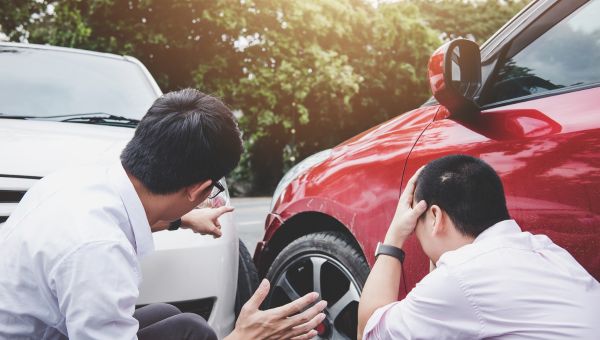
If a problem develops, focus first on getting to a safe position, then contact the rental company or the assistance service named in your documents.
- Put safety first: stop in a safe place where possible and switch on the hazard warning lights.
- Contact the rental company: use the number in your booking confirmation or rental agreement.
- Follow its instructions: towing, repairs and roadside assistance are handled under the rental company’s procedures.
- Do not arrange repairs without approval: unauthorised work may not be reimbursed and could lead to additional charges.
- Ask about a replacement car: one may be available under the rental terms if the vehicle cannot be driven.
Check your cover: Some rental companies offer additional roadside assistance that includes towing or breakdown support. Read what is included.
BEEP tip: BEEP does not provide roadside assistance directly. Report vehicle breakdowns to the rental company or its designated assistance service.
How do you request a rental extension with BEEP?
Need the car for longer? Use BEEP to send an extension request, then check the rental company’s response before relying on the extra time.
- Open the BEEP mobile app, available for Android and iOS.
- Find your rental using the booking number from your confirmation and the email address used to book, then request your new return date and time.
- Wait for the decision and payment instructions. Depending on the rental company, you may receive a reply through BEEP or be contacted directly.
BEEP tip: Request the extension in good time. Keep to the original return arrangements unless the extension has been approved.
When should you contact the rental company?
Get in touch about:
- A breakdown or a technical problem with the vehicle.
- A proposed change to the pick-up or return arrangements.
- Questions about cover, the security deposit or charges under the rental agreement.
The key takeaway
- Vehicle trouble: contact the rental company and follow its instructions.
- An extension: send a request through BEEP, then wait for approval and payment instructions.
- The right contact: ask the rental company about the vehicle and handover; contact BEEP support for help with your booking.
Keep your confirmation and the rental company’s contact details handy throughout the trip.
Your final booking checklist
Finding the right rental becomes much easier when you know what to compare. Use BEEP to look at the terms alongside the price and choose the offer that fits your plans.
What matters most for your trip?
- Vehicle type: enough space for your passengers and luggage, with a transmission you’re comfortable driving.
- Mileage: an allowance that covers your planned route, with a clear price for any extra kilometres.
- Security deposit and excess: check both amounts and the effect of any optional cover.
- Extras: include additional drivers, child seats, cross-border travel and any other services you need.
BEEP tip: Read the offer details and price breakdown together so you know what is included and what may cost extra.
Why compare offers with BEEP?
- Terms you can check: review the rental conditions, costs and requirements alongside the offer.
- A quote for your plans: include the extras you need when comparing rental prices.
- Clear payment information: check whether an advance payment is needed, how much it is and when the balance is due.
- A choice of vehicles: compare small city cars, family cars, SUVs and premium options.
- Online booking: choose and book through the website or app without creating an account.
- Options when plans change: manage your booking and request an extension, subject to availability and approval.
- Confirmation details up front: see whether an offer can be confirmed immediately or needs the rental company’s acceptance.
- Prices you can compare: look at the total for the same dates, cover and extras, not just the advertised daily rate.
Example: If you want no security deposit, unlimited mileage and permission to drive abroad, set those preferences and compare the available offers against all three requirements.